Search by voice
Windows
Mac
Windows
Log in / Sign up
Windows
›
Tags › boundary mesh
Most popular
Boundary Mesh
software
Relevance
Popularity
Rating
enGrid
free
19
enGits GmbH
ENGRID is a mesh generation software with CFD applications in mind. It supports automatic prismatic...
ENGRID is a mesh generation software with CFD applications in mind. It supports automatic prismatic
ZSoil v2012 Student
17
Zace Services Ltd.
NISA Family of Programs
11
EMRC
Strand7 Release
11
G+D Computing
MeshFlatten
6
resurf
MeshFlatten is a standalone application. This software can unfold a 3D...
MeshFlatten is a standalone application. This software can unfold a 3D mesh to be a 2D mesh
CyclicED
free
5
CyclicED
This version of CyclicED is intended primarily...
This version of CyclicED is intended primarily as an analysis tool for earth dams
EasyCFD_G
5
EasyCFD
EasyCFD_G is a computational fluid dynamics (CFD) program designed for the numerical simulation of two...
EasyCFD_G is a computational fluid dynamics (CFD) program designed for the numerical
1
2
Tags
Numeric simulation
Control calculations
3D axis
Fluid dynamics
Statistical data
Line
Layer
Guide
Release
Maps
Featured stories
See all
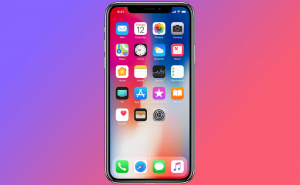
iPhone X: no boundaries, just screen
Featuring an all-glass body with no bezels and no Home button, Apple's newest iPhone looks nothing short of extraordinary.
Why Software Installers Still Try to Trick You
Why do software installers still use dark patterns? Explore the history of bundled software, how these tricks make money, and how to avoid unwanted apps on Windows.
Did ChatGPT Write Your Breakup Text?
Did ChatGPT write your breakup text? A Business Insider reporter’s Pangram experiment reveals how AI-written messages are changing dating, breakups, and trust.
Did Elon Musk Buy Dot.com to Troll OpenAI’s Dots?
OpenAI launched Dots, but dot.com sends visitors to Grok. Was it an Elon Musk troll, lucky timing, or just another chapter in the AI rivalry?
OpenAI’s Dots Want to Run Your Life in the Background
OpenAI Dots are always-on AI agents that can work in the background, use connected apps, remember context, and keep tasks moving after you close ChatGPT.